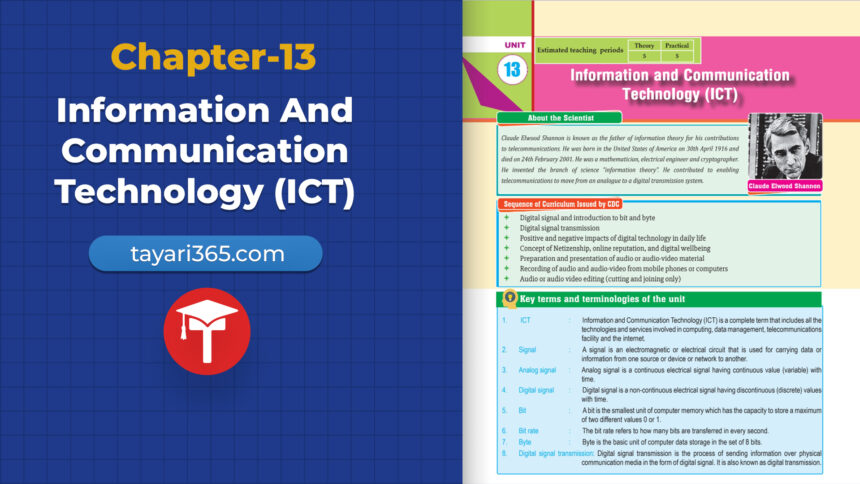
Class 10 Science Chapter 13 ICT is one of the most relevant and technology-focused chapters in your science syllabus. In this chapter, you will explore digital and analog signals, units of computer memory, signal transmission, components of digital communication systems, the impact of digital technology on daily life, digital citizenship, online reputation, digital wellbeing, and video editing. From understanding the difference between baseband and broadband transmission to learning how to be a responsible digital citizen, this complete guide to Class 10 Science Chapter 13 ICT will help you master every concept with clarity and confidence.
1. Introduction
- ICT refers to all technologies used to handle telecommunications, broadcast media, audiovisual processing and transmission systems, and network-based control and monitoring.
- Includes hardware, software, networks, internet, computers, mobile devices, and communication protocols.
- Plays a vital role in modern society for communication, data sharing, and media content creation and distribution.
2. Digital Signal
A digital signal is a discrete, non-continuous signal that represents information using binary (0s and 1s).
Examples of Digital Signals:
- Binary signals (1 and 0)
- Digital audio (e.g., MP3)
- Digital video (e.g., MP4)
- Text and data on computers
- Digital clocks
- Digital control systems (used in robotics, smart homes)
Characteristics of Digital Signals:
- Represented in binary form (0 and 1)
- Less affected by noise
- Can be compressed and encrypted
- Easily stored and transmitted
- More reliable for long-distance communication
3. Analog Signal
An analog signal is a continuous signal that varies over time and can take any value within a range.
Examples of Analog Signals:
- Audio signals from microphones
- Video signals from analog TV
- Temperature readings from analog sensors
- Voltage signals in power lines
- Pressure sensor outputs
Characteristics of Analog Signals:
- Continuous and smooth
- Sensitive to noise and distortion
- Harder to store or transmit over long distances
- Higher quality for natural inputs but less durable
4. Units of Computer Memory
| Unit | Symbol | Size |
| Bit | b | Smallest unit of data (0 or 1) |
| Byte | B | 8 bits |
| Kilobyte | KB | 1024 bytes |
| Megabyte | MB | 1024 KB |
| Gigabyte | GB | 1024 MB |
| Terabyte | TB | 1024 GB |
| Petabyte | PB | 1024 TB |
| Exabyte | EB | 1024 PB |
| Zettabyte | ZB | 1024 EB |
| Yottabyte | YB | 1024 ZB |
5. Differences Between Digital and Analog Signals
| Feature | Analog Signal | Digital Signal |
| Nature | Continuous | Discrete |
| Data Representation | Waveform | Binary (0, 1) |
| Noise Resistance | Less | High |
| Signal Quality | Degrades with distance | Maintained with distance |
| Processing | Complex | Simple and efficient |
6. Signal Transmission
Key Aspects of Signal Transmission:
- Transmitter: Sends the original signal
- Transmission Medium: Medium through which signal travels
- Wires/cables
- Optical fibers
- Wireless channels
- Modulation: Converts data for transmission
- Noise & Interference: Can distort the signal
- Propagation Delay: Time taken for signal to travel
- Receiver: Receives and processes the signal
- Duplexing: Method of sending/receiving simultaneously
- Protocols & Standards: Define communication rules
- Bandwidth: Amount of data that can be transmitted per unit time
7. Components of Digital Communication System
| Component | Function |
| Source | Original data (sound, image, text) |
| Input Transducer | Converts physical input into electrical signal |
| Encoder | Converts signal into suitable format for transmission |
| Modulator | Modifies signal to be carried over medium |
| Channel | Path through which signal travels |
| Demodulator | Converts signal back to original form |
| Decoder | Reconstructs original message |
| Output Transducer | Converts electrical signal back to physical form |
| Output Signal | Final form for human use (e.g., sound, image, text) |
8. Analog Communication
Features:
- Uses analog signals for transmission
- Quality degrades over distance
- More prone to noise
- Harder to multiplex or secure
9. Digital Communication
Features:
- Uses digital signals (0s and 1s)
- Easy to store, compress, and encrypt
- Noise-resistant
- Ideal for modern applications like internet, phones, and digital media
10. Baseband Transmission
Characteristics:
- Uses entire bandwidth of the medium
- No modulation needed
- Best for short-distance communication (e.g., LANs)
11. Broadband Transmission
Characteristics:
- Transmits multiple signals simultaneously
- Uses modulation
- Suitable for long-distance, high-speed internet
12. Advantages of Digital Transmission
- Better noise immunity
- High security through encryption
- Easy storage and retrieval
- High-speed data transfer
- Compact and portable data systems
13. Effect of Digital Technology on ICT
a. Digital Communication:
- Mobile phones, VoIP, Internet calls
b. Digital Media:
- Online news, blogs, eBooks
c. Digital TV:
- High-definition video and sound
- On-demand streaming
14. Use of Digital Technology in Daily Life
Positive Impacts:
- Improved communication (messaging, video calls)
- Access to information (Google, Wikipedia)
- Entertainment (Netflix, YouTube)
- Education & e-learning (MOOCs, Zoom)
- Global connectivity (social media, online gaming)
Negative Impacts:
- Digital addiction
- Privacy concerns
- Cybersecurity threats
- Social isolation
- Misinformation/Fake news
Digital Citizenship – Class 10 Science Chapter 13 ICT
A digital citizen uses technology responsibly, ethically, and legally.
Key Aspects:
- Digital literacy
- Respectful behavior online
- Privacy and security
- Copyright and fair use
- Digital footprint awareness
- Critical thinking
- Online safety
- Balanced technology use
- Responsibility and ethics
- Parental guidance for kids
16. Online Reputation
Your online reputation is how others perceive you based on your digital activity.
Key Aspects:
- Social media posts
- Comments and public interactions
- Online reviews and endorsements
- Respecting others’ privacy
17. Digital Wellbeing
Key Aspects:
- Managing screen time
- Avoiding harmful content
- Balancing online and offline life
- Using parental controls
- Mindful technology use
18. Making Audio and Audio-Visual Materials
Video Editing:
Process of altering video footage to create a final product.
Popular Software:
- Adobe Premiere Pro
- Final Cut Pro
- Davinci Resolve
- Filmora
- CapCut (mobile)
Main Steps of Video Editing:
- Import footage
- Trim and arrange clips
- Add transitions and effects
- Insert titles and captions
- Adjust audio and color
- Export the final video
Video Editing Options:
- Cut/split
- Fade in/out
- Slow motion
- Add background music
- Overlay text
- Green screen effects
This completes the full guide to Class 10 Science Chapter 13 ICT.